# Encryption overview
### Authentication & Encryption Password
Termius offers two types of authentication:
* Email + Encryption Password
* Single sign-on (SSO). After successful SSO authentication, the app still requires the encryption password to access vaults.
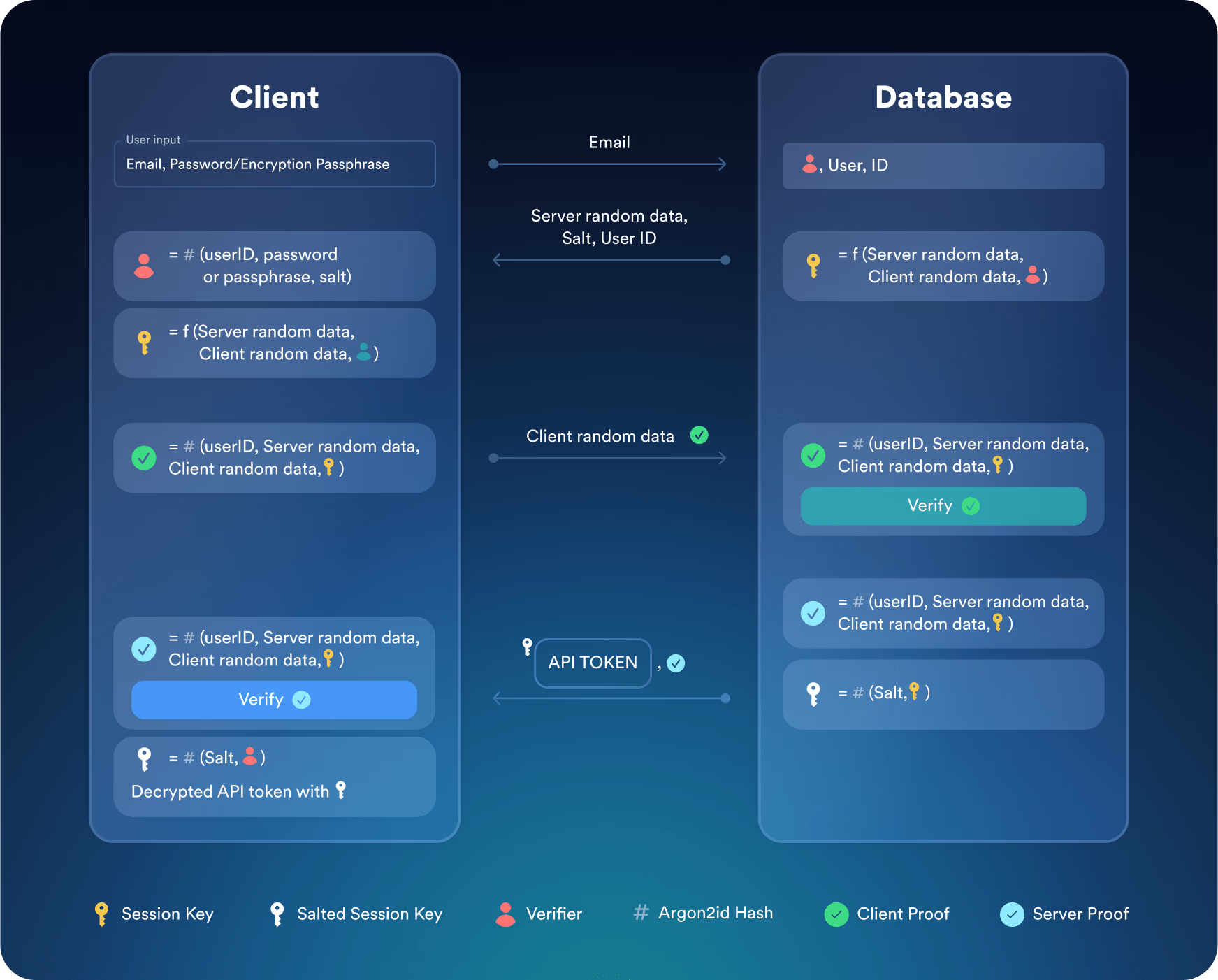
The app uses a modified SRP6a protocol to communicate with the server without sending the password or password hash over the network.
To complete the authentication, the client and the Termius cloud must prove that each party has the same key:
1. The cloud sends the client a random piece of data, a salt to be used by the Argon2id password hash algorithm and User Identifier.
2. The client sends the cloud a random piece of data and a client proof.
3. The cloud sends the client a server proof, an encrypted API Key, and a salt.
4. The client validates the server proof and decrypts the API Key.
### Personal Vault
Termius uses a hybrid approach for the encryption of the Personal vault. The key steps of the encryption algorithm are below:
1. Termius generates a random key pair during account creation.
2. Using the key pair, the app generates the user's personal encryption key.
3. The personal encryption key is used to encrypt all user data, such as hosts, groups, and keys.
4. The private key is encrypted using the user's encryption password.
5. The app syncs the encrypted key via Termius Cloud to other devices.
Your encryption password always stays with you. It is never stored alongside your data, and never sent over the network. Hence, all data in the Personal vault cannot be read by anyone without the encryption password.
{% hint style="danger" %}
If you lose your encryption password, you won't be able to recover the data.
Make sure to save your encryption password in a password manager.
{% endhint %}
### Team Vaults
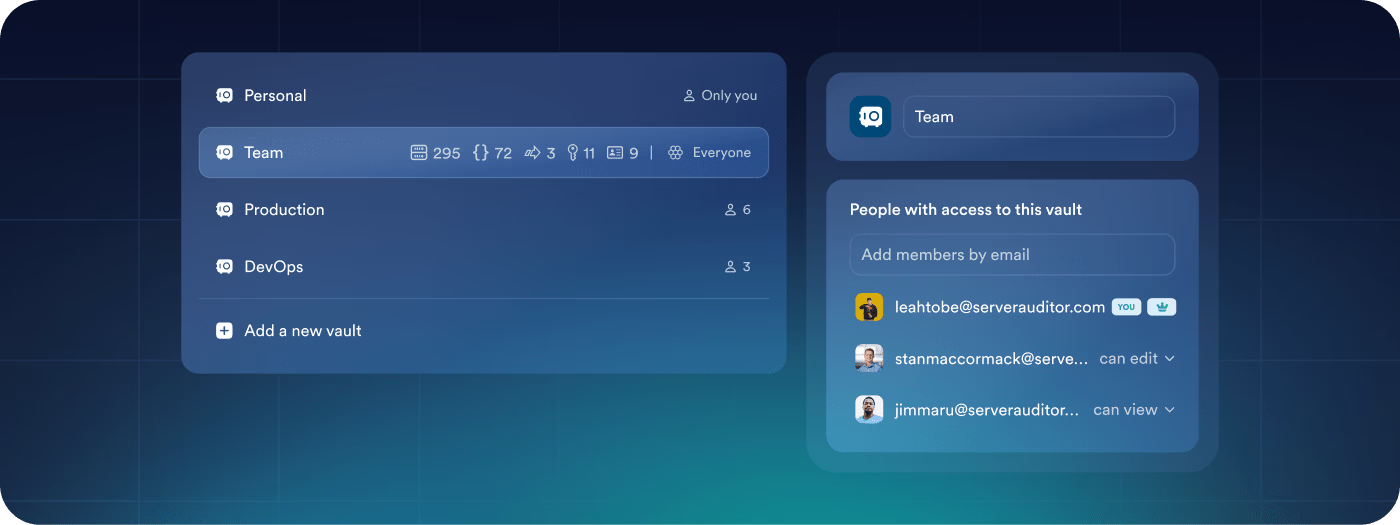
Termius uses the hybrid encryption approach for all team vaults.
#### On the Team Member's Side
1. When a team member joins Termius, the app generates a key pair. It is used for their Personal vault; see above.
2. Each team member's public key is then shared with the team owner.
#### On the Team Owner's Side
1. When a team owner starts a team, the app generates a separate encryption key for each vault.
2. The app encrypts the vault encryption keys using the team member's public key. The app utilizes the team owner's private key for creating MAC.
3. Encrypted vault keys are then sent to team members via the Termius cloud.
#### On the Team Member's Side
1. Termius sends encrypted vault keys to all members with access to these vaults.
2. The app decrypts vault keys with the member's private key stored in their Personal vault and uses the team owner's public key to verify the MAC.
### Technical details
Termius uses the [1.0.17](https://github.com/jedisct1/libsodium/releases/tag/1.0.17) version of Libsodium and a custom C++ binding for iOS, Android, and Desktop applications. Termius uses the following APIs in Libsodium:
* For public-key encryption: crypto\_box\_keypair, crypto\_box\_easy, and crypto\_box\_open\_easy use the X25519 key exchange, XSalsa20 stream cipher, and Poly1305 MAC.
* For secret-key encryption: crypto\_secretbox\_keygen, crypto\_secretbox\_easy, crypto\_secretbox\_open\_easy – it uses the XSalsa20 stream cipher and the Poly1305 MAC.
* For password hashing: crypto\_pwhash with options: `OPSLIMIT_INTERACTIVE`, `MEMLIMIT_INTERACTIVE`, and ARGON2ID13.
* For generating a nonce: randombytes\_buf.
Termius uses SRP implementation from [Botan](https://botan.randombit.net/) and [GRPC](https://grpc.io/) over TLS as a transport for SRP protocol. Termius uses the [2.14.0](https://github.com/randombit/botan/tree/2.14.0) version of Botan and custom C++ binding for iOS, Android, and Desktop applications.
The encryption key and key pair are stored on devices, namely in:
* iOS: [Keychain](https://developer.apple.com/documentation/security/keychain_services).
* Android: shared preferences, encrypted by a key stored in Android [Keystore](https://developer.android.com/training/articles/keystore).
* Desktop: Electron IndexedDB encrypted by a key stored in [OS Keychain](https://github.com/atom/node-keytar) when Keychain is available and in [localStorage](https://developer.mozilla.org/en-US/docs/Web/API/Window/localStorage) as a fallback.
If you have any security concerns, you can write to us at [security@termius.com](mailto:security@termius.com,).